
Light and atmosphere, one file away.
102 overlays for portrait photographers: window light, snow, smoke, sparklers, fireworks, falling petals. Place the file on your photo, set the blend mode, adjust the opacity.
$29USD · one-time purchasePrezzo in EUR al checkout
Get the Overlay Collection · $29Instant download · Photoshop, Photopea, Affinity and Canva · personal and client use
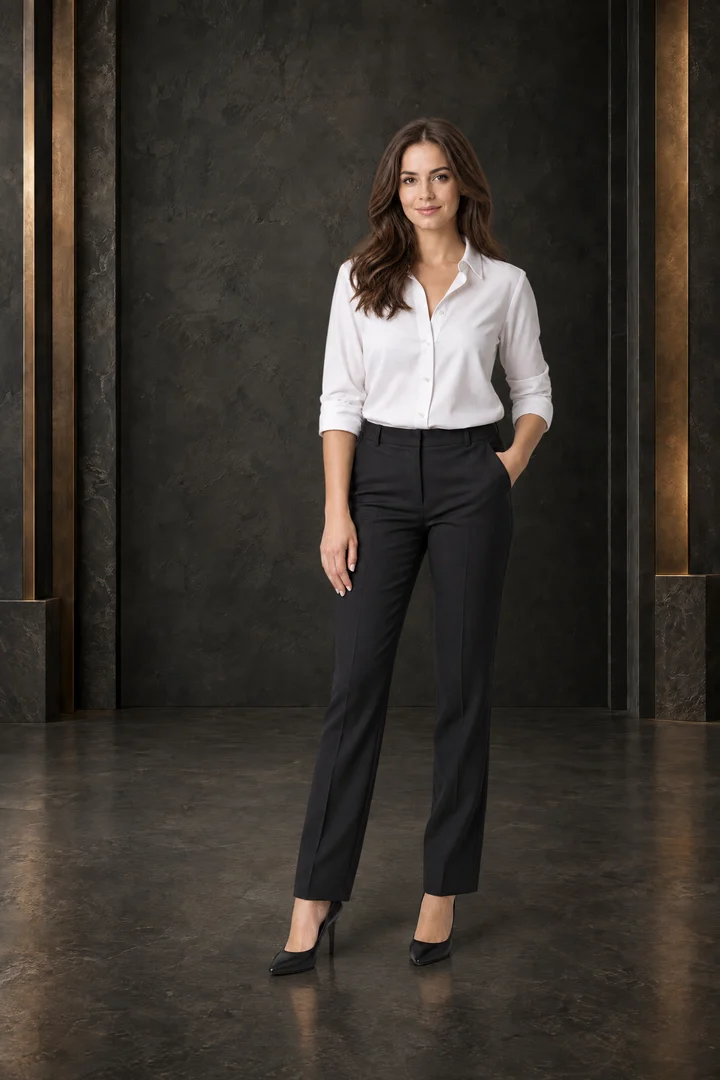
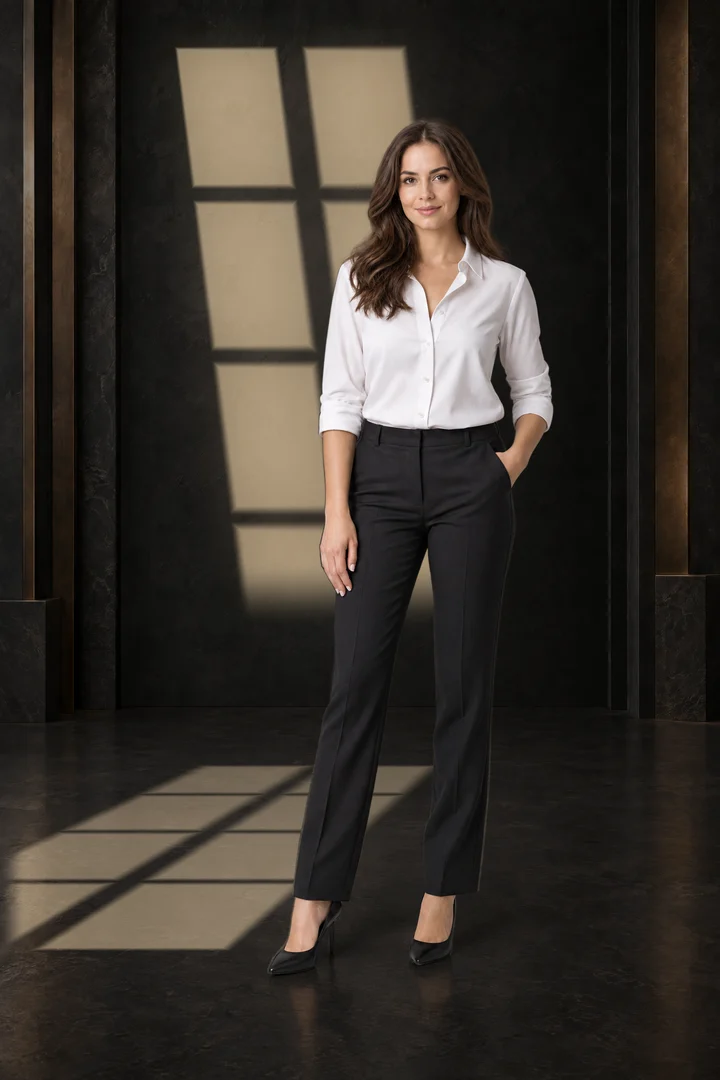
The same photo, with and without.
Every effect below is one file from the collection, placed on a plain portrait.
Tap or hover a photo to see it without the overlay. Visual examples: the overlays are placed and adjusted by you.
What is in the download.
- 102overlay effects, in 21 familiesLight, weather, smoke, sparkle and celebration.
- 2versions of every effectJPG with a blend mode for Photoshop, Photopea and Affinity. PNG with transparency for Canva.
- 6144× 9216 pixels, vertical 2:3The same size as the Backdrop Vault scenes.
- 3guides in the Start Here folderA how-to in English and Italian, a catalog of every file and a list of matching Vault scenes.
- Window light
- Venetian blinds
- Birthday snoot, 0 to 9
- Snow
- Gold stardust
- Point lights
- Fog and mist
- Smoke and smoke bombs
- Clouds
- Rain and water
- Light rays and haze
- Bokeh
- Magic sparkles
- Bubbles
- Fireworks and sparklers
- Confetti and streamers
- Leaves, petals, feathers
- Sun flares and light leaks
- Night sky and lightning
- Vault scene beams
- Room dim
You download 5 ZIP files, about 2.3 GB in total. Take only the version you need: the Photoshop, Photopea and Affinity version is about 0.6 GB.
Three steps, in the editor you already use.
- Place the fileAdd the overlay as a new layer on top of your photo.
- Set the blend modeThe file name tells you which one: Screen or Multiply. In Canva you use the PNG and skip this step.
- Adjust itMove it, resize it and lower the opacity until it sits in the photo.
Effects that belong behind the person, like window light and the birthday snoot, go under a cut-out of your subject. The guide shows how in Photoshop, Photopea and Canva.
Made to match the Vault.
Window light, blinds and the birthday snoot are sized for the scenes of the Portrait Backdrop Vault, so they line up without resizing. Four light beams are drawn for one Vault scene each.
You do not need the Vault to use the overlays. If you want both, they are $58 together instead of $68.
See the Portrait Backdrop Vault ↗Before you buy.
Which software do I need?
Any editor with layers and blend modes: Photoshop, Photopea (free, in the browser) or Affinity Photo. For Canva, use the PNG versions: they already have transparency.
Do I need the Portrait Backdrop Vault?
No. Almost every effect works on any photo or backdrop. Only the four Vault scene beams are tied to one Vault scene each.
Is it really one click?
For the simple effects, nearly: place the file and set the blend mode. Light effects that go behind a person take a few more steps, because the subject has to sit on a layer above the light. The guide walks you through it.
Can I use them on a phone?
We built and tested the collection on a computer, in Photoshop, Photopea and Canva. We have not tested phone editing apps, so we cannot promise it works there.
Can I use them for client work?
Yes. One licence covers unlimited personal and client projects, prints and social media. You cannot resell or share the files. Read the full licence.
What if it is not for me?
This is a digital download, delivered right after payment. Our refund policy explains what applies, and you can write to support@prodotti-digitali.net with any question before you buy.
Add the light to your next portrait.
Get the Overlay Collection · $29One-time purchase · instant download
Prezzo in EUR al checkout